Dental production report: what to measure every month
Compare gross production, billable amounts, and collections by provider and specialty: the dental report reveals discrepancies and helps prevent cash flow crises.

Dental Practice Production Report: What to Measure Every Month
The production report is the monthly document that compares gross production, net billable production, and collections, broken down by provider and clinical specialty. As soon as you receive the monthly figures, the first thing to do is compare net production and collections: any discrepancy must be flagged and checked against billing and insurance agreements before it turns into a cash flow problem.
In brief:
Start with production by provider, collections, and outstanding receivables using the last three months as a baseline; add other indicators only after establishing the monthly routine.
Check the ratio between collections and net production every month: if it drops for two consecutive months, look into billing and insurance management, not clinical production.
Stick to the same calendar month and aggregate amounts by provider and specialty; duplicate entries and inconsistent codes distort comparisons.
Measure treatment plan acceptance by dividing the accepted monetary value by the presented value over the same period; counting the number of plans can skew the result.
Treatbasetreatbase.comBetter understand your practice's numbersTreatbase integrates invoice management and performance tracking—useful tools for monitoring monthly production and collections.Discover Treatbase
Table of Contents
What items a reliable production report must contain
Which KPIs to track and how often
How to build the report using practice management software data
How to read the numbers and turn them into operational decisions
How practice management software with voice AI streamlines reporting
Why the production report is the core of practice governance
How Treatbase simplifies generating monthly reports
Frequently Asked Questions
Sources
What items a reliable production report must contain
A well-crafted report starts with a few essential fields, all referencing the same calendar period. Without this baseline structure, comparing one month to another becomes a pointless exercise.
Reporting period and total gross production (list price value of all services rendered).
Adjustments and discounts applied, categorized by reason.
Net or billable production, which is the amount actually collectible after adjustments.
Collections during the period, including average accounts receivable days (AR days).
New procedures started during the month, broken down by clinical specialty.
The distinction between gross production, net production, and collections is not an accounting technicality: gross production shows how much clinical work was delivered, net adjusts that value for discounts and write-offs, and collections show how much of that work actually converted into cash flow. Tracking only gross production risks making a practice look healthy when it is actually struggling to collect payments.
The most readable format is a grid with clinical specialties in the rows (hygiene, restorative, prosthodontics, surgery) and providers in the columns, paired with a three-, six-, and twelve-month trend to account for seasonality. This layout makes it possible to see at a single glance whether a drop in production is tied to a specific provider or an entire department.
Which KPIs to track and how often
The KPIs to include in the report fall into three categories: operational, commercial, and efficiency. There is no need to track them all from day one: the American Dental Association recommends starting with a few key indicators—such as overdue accounts, new patients, and production per provider—using the last three months of data as a baseline.
Production by provider and specialty: monthly, to understand who and what generates revenue.
Collections and collection ratio (collections divided by net production): monthly, to catch collection issues early.
Treatment plan acceptance rate (accepted value divided by presented value, over a fixed period): monthly or quarterly.
AR days and average collections per visit: monthly, to evaluate administrative efficiency.
Recurring activity rate (recalls, routine hygiene): quarterly, to gauge patient loyalty.
Analytics applied to dental practice make it possible to turn raw numbers into concrete actions on margins and growth, as highlighted in an in-depth article published in the Michigan Dental Association journal. The collection ratio, in particular, warrants monthly monitoring: a declining value for two consecutive months almost always signals an upstream issue in billing or insurance claims management, rather than in clinical production.
How to build the report using practice management software data
Building an accurate report always begins with extracting data correctly, not with the spreadsheet itself.
Define the exact timeframe (calendar month, not a rolling window) and use the same criteria every time.
Export production and billing separately, isolating adjustments and discounts in a dedicated column.
Aggregate data by provider and clinical specialty before calculating the practice-wide total.
Verify that every item is measured in monetary value, not procedure counts.
The most common mistakes are duplicate entries for a retroactively corrected procedure, treatment codes used inconsistently across providers, and comparing periods of different lengths. All three distort the trend without you noticing until the following month.
A tip: schedule the CSV export from your software on the same day every month; this ensures the report always shares the same time baseline, allowing you to compare figures without having to adjust them manually.
Most modern practice management systems allow you to automate report delivery or connect with external business intelligence tools: once the routine is set up, data extraction no longer requires manual effort each month.
How to read the numbers and turn them into operational decisions
A production report is of little use if it simply sits in an archive. Its true value lies in translating every signal into an action within the following week.
If the gap between net production and collections exceeds the three-month average, immediately inspect billing workflows and insurance turnaround times.
If the hygiene department shows stable production but low margins, review your fee schedule or the average time allotted per appointment.
If you are considering hiring an associate, calculate the break-even point by comparing the average production per provider against the onboarding and employment costs.
If the treatment plan acceptance rate falls below your historical average, re-evaluate how treatment plans are communicated to patients before making changes to pricing.
A straightforward checklist for the following month helps keep these signals from being overlooked: list the three metrics that strayed furthest from the average, assign an owner to each, and set a review date. Sound financial habits recommended by the American Dental Association—such as timely payment collection and regular fee schedule reviews—work best when they become permanent checklist items rather than occasional fixes.
How practice management software with voice AI streamlines reporting
Much of the time wasted in building reports is spent not on analysis, but on data collection: late chart notes, manually entered procedure codes, and spreadsheets rebuilt from scratch each month. Practice management software powered by voice AI eliminates manual chart transcription by automatically logging procedures as they are performed, making data ready for aggregation without intermediate steps.
Several features directly improve the quality of your production report:
Automated billing, which minimizes coding discrepancies between gross and net production.
Integrated procedure tracking, ideal for breaking down numbers by provider and specialty.
Automated patient reminders, which reduce no-shows and keep monthly production steady.
Free data migration, avoiding the need to rebuild historical data by hand when switching software.
A tip: if you are evaluating new practice management software, always ask how long it takes to export the monthly report: it is a practical indicator of how much manual work will remain on your plate.
Why the production report is the core of practice governance
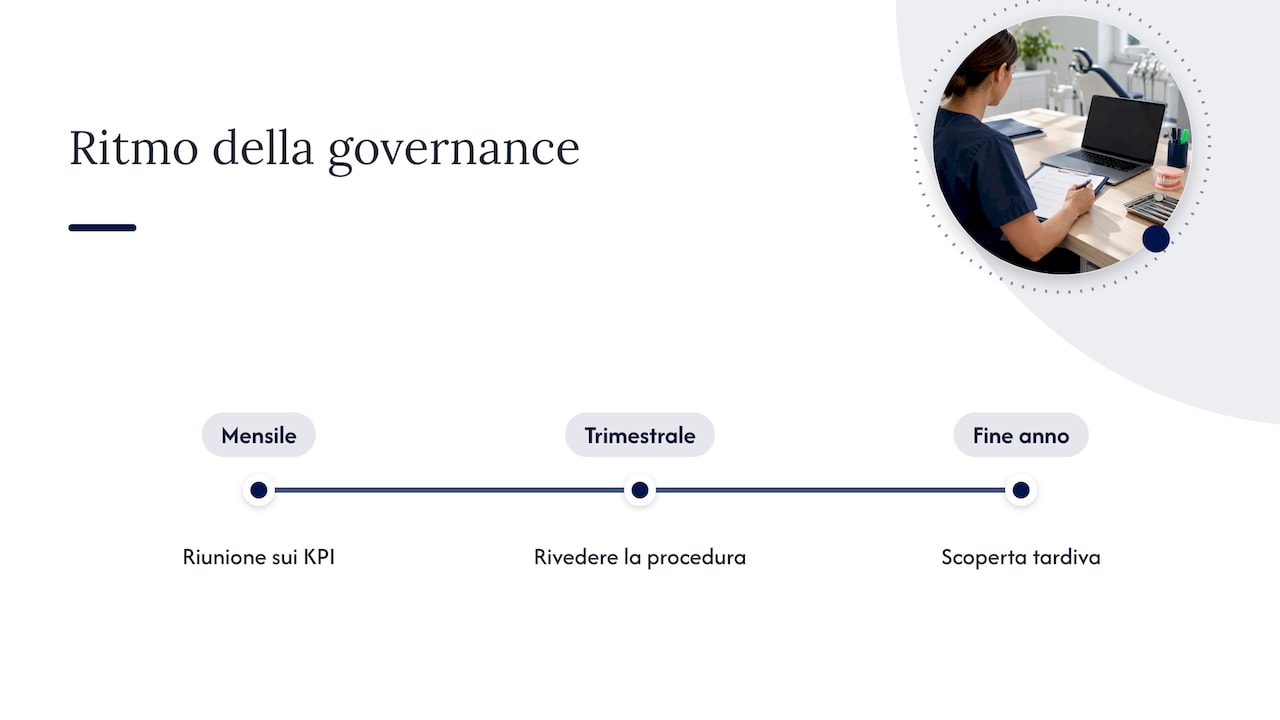
An accurate report is worth little unless it becomes a shared monthly ritual with your team. Meetings centered on KPIs rather than impressions change the tone of conversations with dentists and hygienists: discussions revolve around verifiable numbers, not subjective impressions.
Consistent reporting also compels more timely decision-making: waiting for year-end financials to uncover a collections issue is almost always too late to fix it. My advice is to establish a standardized process for data collection and extraction and review it quarterly—not because the report layout needs to change, but because practice priorities evolve.
— Matteo
How Treatbase simplifies generating monthly reports
Building an accurate production report requires clean data right from the start, and that is precisely where software built specifically for dentistry makes the difference. With Treatbase, we eliminate manual clinical note transcription using voice AI, so every procedure recorded during an appointment is immediately ready for monthly aggregation, without needing to be re-entered later.

Our software integrates automated billing, performance monitoring, and automated patient reminders—three drivers that directly enhance the quality of your production report:
Automated billing that cuts down errors between gross and net production.
Performance tracking designed for easy breakdown by provider and specialty.
Free data migration for practices switching systems mid-year.
If you want to see how this works in your practice's day-to-day operations, visit the Treatbase dental practice management software page and request more details on data migration.
Frequently Asked Questions
How often should the practice production report be updated?
The production report should be updated at least monthly, always using the same calendar period to enable consistent comparisons. The American Dental Association also suggests reviewing chosen KPIs at least every quarter.
What is the difference between net production and collections?
Net production is the billable value after adjustments and discounts, whereas collections represent the cash actually received during the same period. An American Dental Association article on associate compensation explains why this distinction is also critical for calculating accurate pay.
How is the treatment plan acceptance rate calculated?
Divide the total monetary value of accepted treatment plans by the total value of presented plans over a defined timeframe, such as ninety days. Using monetary value instead of a simple plan count prevents distortions when plan sizes vary significantly.
Which KPIs should I track first if I have never created a production report?
It is best to start with a few metrics: provider production, collections, and accounts receivable, as recommended by the American Dental Association. Once the monthly routine is firmly established, you can introduce treatment plan acceptance rates and recurring care percentages.
Can practice management software with voice AI help prepare the production report?
Yes, software with voice AI like Treatbase reduces manual transcription work and structures clinical data immediately for monthly aggregation. This decreases the risk of coding errors that would otherwise skew the distinction between gross and net production.