Dental Practice Automation: What to Automate in 2026
Voice-to-chart records, hands-free periodontal charting, reminders, invoices, and consent forms: which automations save dental practices hours, and how to introduce them.

Automations for the dental practice: what to automate in 2026
The automations that truly make a difference in a dental practice are those that take work off the hands of both the clinician and the front desk the very moment the task arises. We are talking about clinical records filled in by voice while working in the mouth, periodontal charting dictated without touching the keyboard, reminders sent automatically, invoices generated from the newly recorded procedure, and consents signed and archived digitally. They work when they all live within the same practice management software. If you buy them as separate tools, you end up with five subscriptions, five archives, and someone copying data from one to the other. That is why at Treatbase we built them inside a single cloud software, with voice artificial intelligence at its core.
Treatbasetreatbase.comLess bureaucracy, more chairside timeTreatbase integrates voice-driven clinical records, automatic reminders, and invoice management in a single software for dental practices.Visit
In brief
The automation with the greatest impact on chairside time is voice-filled clinical records: no end-of-day transcription, no notes to copy over.
Hands-free periodontal charting eliminates the classic "one probes, the other writes" setup and frees up the assistant.
Automatic reminders and confirmations reduce gaps in the schedule and front-desk phone calls.
Invoicing and collections are automated well only if the management software distinguishes tax channels: Health Insurance Card System (Sistema Tessera Sanitaria) for private patients, electronic invoicing via SdI for business clients and public administration.
Every automation that touches clinical data requires human supervision: the AI proposes, the dentist validates.
Table of contents
What can be automated today in a dental practice
Voice-driven clinical records: the automation that frees up the chair
Schedule, reminders, and missed appointments
Estimates, invoices, and collections without copying anything
Informed consents and digital archive
Privacy and clinical control: the rules to follow
How to introduce automations to your practice, step by step
Multiple locations, same rules: automating a dental group
Treatbase: practice automations in a single management software
Our point of view
Frequently asked questions
Sources
What can be automated today in a dental practice
Before choosing a tool, it pays to take inventory. In an average practice, lost time is not spent on a single slow activity, but on dozens of small, repeated steps: writing, recopying, calling, following up, archiving. Here are the areas where automation yields the most and where, if done poorly, it breaks down.
Area | What automation does | Where mistakes happen most often |
|---|---|---|
Clinical records | The clinician dictates, the software fills in the diary, odontogram, and notes | Dictating into one software and then copying into another |
Periodontal charting | Probing depth, bleeding, and recessions entered by voice | Relying on a second operator who transcribes on paper |
Schedule and reminders | Automatic alerts before the appointment, request for confirmation | Reminders are sent, but no one reads the replies |
Invoicing | Invoice generated from the recorded procedure | Failing to distinguish between private patients and business clients |
Payments and collections | Installments, deposits, and balances tracked per patient | Collections recorded separately, in a spreadsheet |
Consents | Digital signature and archiving in the patient chart | Consents signed on paper and scanned by hand |
Staff and permissions | Each role sees and edits only what they need | A single password shared by the entire practice |
Performance | Dashboard with production, collections, occupied chairs | Data gathered at the end of the month from multiple different sources |
The right-hand column explains why many practices try an automation and abandon it: it is not the technology that is missing, it is the integration. An automatic reminder that lives in an external app does not know that the patient rescheduled the appointment over the phone. A voice transcription made with a generic app still needs to be pasted into the chart. Useful automation is the kind that writes directly where the data needs to be.
Voice-driven clinical records: the automation that frees up the chair
The place where the practice loses the most hours is not the reception desk; it is the chair. Every minute spent typing notes, updating the odontogram, or completing the clinical diary at the end of the visit is a minute where the chair is occupied but not producing. Many clinicians solve this by putting it off: quick notes during the day and transcription in the evening. This is precisely the work that voice artificial intelligence eliminates.
With voice data entry, the dentist describes what they are doing and what they see in natural language, and the management software structures the information in the patient’s chart. The advantage is not just time. The data is recorded at the moment it originates, making it more complete and less prone to memory lapses or transcription errors. In Treatbase, this is the feature upon which everything else is built: our goal is to eliminate manual transcription, not just reduce it. According to our estimates, practices can save over 1,000 hours per month across clinical and administrative tasks.
Like all clinical automations, voice-driven records remain under the practitioner's control. The text proposed by the AI must be reviewed and confirmed: it is the clinician who signs off on the record, not the software.

Hands-free periodontal charting
Periodontal charting is the clearest example of a task suited for voice. Six sites per tooth, probing depth, bleeding, recessions, mobility, furcations: on a full dentition, that amounts to hundreds of data points. The traditional method requires two people—one who probes and one who writes—or a single operator who must remove gloves or soil the keyboard with every tooth.
With hands-free periodontal charting, the clinician dictates the values while probing, and the software inputs them into the correct spot on the chart. The assistant remains available for suction or for another chair, the visit is shortened, and the risk of contaminating the keyboard disappears. For the hygienist who performs dozens of probings a week, this means being able to do a complete charting at every recall instead of limiting it to suspicious sites. Native support for hands-free charting is one of the features that sets Treatbase apart from traditional management systems, making it well-suited also for university departments that teach periodontal probing.
Schedule, reminders, and missed appointments
A missed appointment costs twice: the empty chair and the front-desk time spent calling, rescheduling, and trying to find someone to fill the gap. Manual confirmation calls are low-value but high-cost work, because they tie up the exact hours when the reception desk should be welcoming patients and closing treatment plans.
An automated reminder system works when it follows three rules:
It triggers automatically. The reminder is generated from the appointment in the calendar, without anyone needing to remember to send it.
It requests a confirmation. A notification that the patient reads and ignores is of little use. An active response—confirm or cancel—makes it possible to know in advance who will not be coming.
It frees up the slot. If the patient cancels, the slot becomes available again for those on the waiting list or for an emergency. The front desk only intervenes for cases that have not responded.
The weak point of many practices is the second step: reminders go out, but replies end up on a phone or in an inbox that no one checks. That is why reminders must be tied to the software's schedule, not to an external tool. In Treatbase, automated reminders for patients are part of appointment and calendar management, so the front desk works from a single, up-to-date schedule.
The same logic applies to periodic recalls, such as six-month hygiene appointments. A recall that is not sent is a patient that is lost: automating it means not depending on the memory of whoever happens to be at the front desk that day.
Estimates, invoices, and collections without copying anything
Invoicing is the area where automating yields the most, and where making mistakes costs the most. The rule to start from is fiscal, not technological. For healthcare services provided to private patients (individuals), electronic invoicing via the Exchange System (SdI) is not issued: the ban on invoicing via SdI for B2C healthcare services has become permanent, and for required entities, submitting expense data to the Health Insurance Card System (Sistema Tessera Sanitaria) remains mandatory. Invoices to companies, insurance providers, or public bodies, on the other hand, follow standard electronic invoicing rules.
An automation that does not distinguish these channels creates tax errors instead of saving time. Because of this, when evaluating management software, look for three things:
The invoice originates from the procedure. The treatment recorded in the chart generates the billing item without the front desk needing to retype it.
The channel is chosen based on the recipient. Private patients, business clients, or public entities are handled differently right from the start.
Collections are linked to the invoice. Deposits, installments, and balances are visible in the patient chart, not in a separate spreadsheet.
For major treatment plans, payment management is the real source of stress for the office manager: who paid the deposit, which installment is overdue, which patient needs a follow-up. With automated invoicing and payment and collections management in Treatbase, this data stays in the same place as the clinical records, and performance monitoring shows how the practice is doing in real time, without having to wait for the accountant at the end of the quarter.
Informed consents and digital archive
Paper-based informed consent has three issues: it must be printed, signed, and filed, and each step is an opportunity to lose it. When it needs to be retrieved, perhaps years later, someone has to open a physical binder.
With digital signature for consents, the patient signs on a tablet, the document is saved directly to their chart, and anyone with the right permissions can find it in seconds. In Treatbase, digital signature and consent archiving are integrated into the chart, ensuring the consent is linked directly to the treatment to which it refers. For the practice, this means less paper, fewer scans, and an orderly archive even when a staff member leaves the practice.

Privacy and clinical control: the rules to follow
Automating means processing health data, which is among the most protected categories under privacy regulations. When artificial intelligence comes into play, there is an additional principle. The Privacy Authority's guidelines on the use of AI in healthcare, adopted by the Order of Physicians of Turin, call for transparency in decision-making processes and human oversight over automated decisions: doctors and dentists must be able to control, validate, or reject what the AI produces, and periodically verify its effectiveness.
In practice, for the clinic, this translates into several operational rules:
The AI proposes, the clinician confirms. What is dictated and structured by the system must be reviewed and validated before becoming a permanent part of the chart.
Every role has its own permissions. The front desk does not need to edit the clinical diary; external associates do not need to view the practice’s financial figures. Well-configured staff and permissions management is also a security measure.
Data is not scattered. Every external tool connected to the software is an additional point of data leakage. Fewer makeshift integrations mean fewer risks.
Assessments are documented. When introducing a new automated data processing activity, involve your Data Protection Officer or the practice’s privacy consultant to update your processing records and privacy notices.
This is one of the reasons why it is best to have automations built inside a single cloud management platform with role-based permissions and a compliant digital archive, rather than piecing them together by connecting different apps.
How to introduce automations to your practice, step by step
Introducing automations does not mean overhauling everything over a weekend. The path that works is gradual and starts with data.
Measure where you lose time. For two weeks, note how much time is spent each day on transcription, confirmation calls, invoicing, and filing. The real issue is often different from the perceived one. This is where practices that start with the trendiest tool instead of the bottleneck go wrong.
Choose a single software that covers the main areas. Records, schedule, invoicing, and consents must communicate with one another. With Treatbase, these functions are natively integrated, with voice AI serving as the entry point for clinical data.
Prepare data migration. This is the step that scares those leaving legacy software the most. Take an inventory of what needs to be transferred: patient profiles, charts, treatment plans, upcoming appointments, accounting status. Clean up duplicates beforehand, not afterward. With Treatbase, data migration is simple, fast, and free of any extra cost, so the old archive does not become a reason to stand still.
Spot-check after the transition. Pick around twenty representative patients with long clinical histories, open treatment plans, and ongoing payment installments, and verify that everything is in its proper place. The classic mistake is discovering missing data only when the patient is already in the chair.
Start with voice in the operatory. Begin by dictating charts at a few chairs, then roll out hands-free periodontal charting to hygienists. Results will show quickly and convince the rest of the team.
Activate reminders and automated invoicing. Set up the timing for reminders and collections management, then let the front desk focus exclusively on exceptions.
Monitor the numbers every month. Use the performance dashboard to compare occupied chairs, missed appointments, and collections before and after. If an automation does not move the needle, it needs to be configured better.
Multiple locations, same rules: automating a dental group
For dental chains and multi-location groups, the challenge scales up. Each clinic working with its own habits results in charts completed differently, price lists applied inconsistently, and reports that cannot be compared. Each new location should not proportionately increase administrative overhead, but that is exactly what happens when every practice uses its own tools.
Standardizing means deciding once how charts are filled out, how billing is handled, and who can see what, and then having the software enforce that rule. With Treatbase’s multi-user management, clinical records and invoicing follow the same framework across all locations, permissions are assigned by role, and analytics allow leadership to compare locations using the same key indicators. Multilingual support is useful for groups with international staff and for clinics in Switzerland and Spain.
Treatbase: practice automations in a single management software
If you are considering where to start, Treatbase brings together all the automations we discussed into a single cloud software: voice-filled clinical records, hands-free periodontal charting, scheduling with automatic reminders, automated invoicing, payment and collection management, digital signature and archiving for consents, staff permissions, and performance analytics. Data migration from your current software is free of charge.
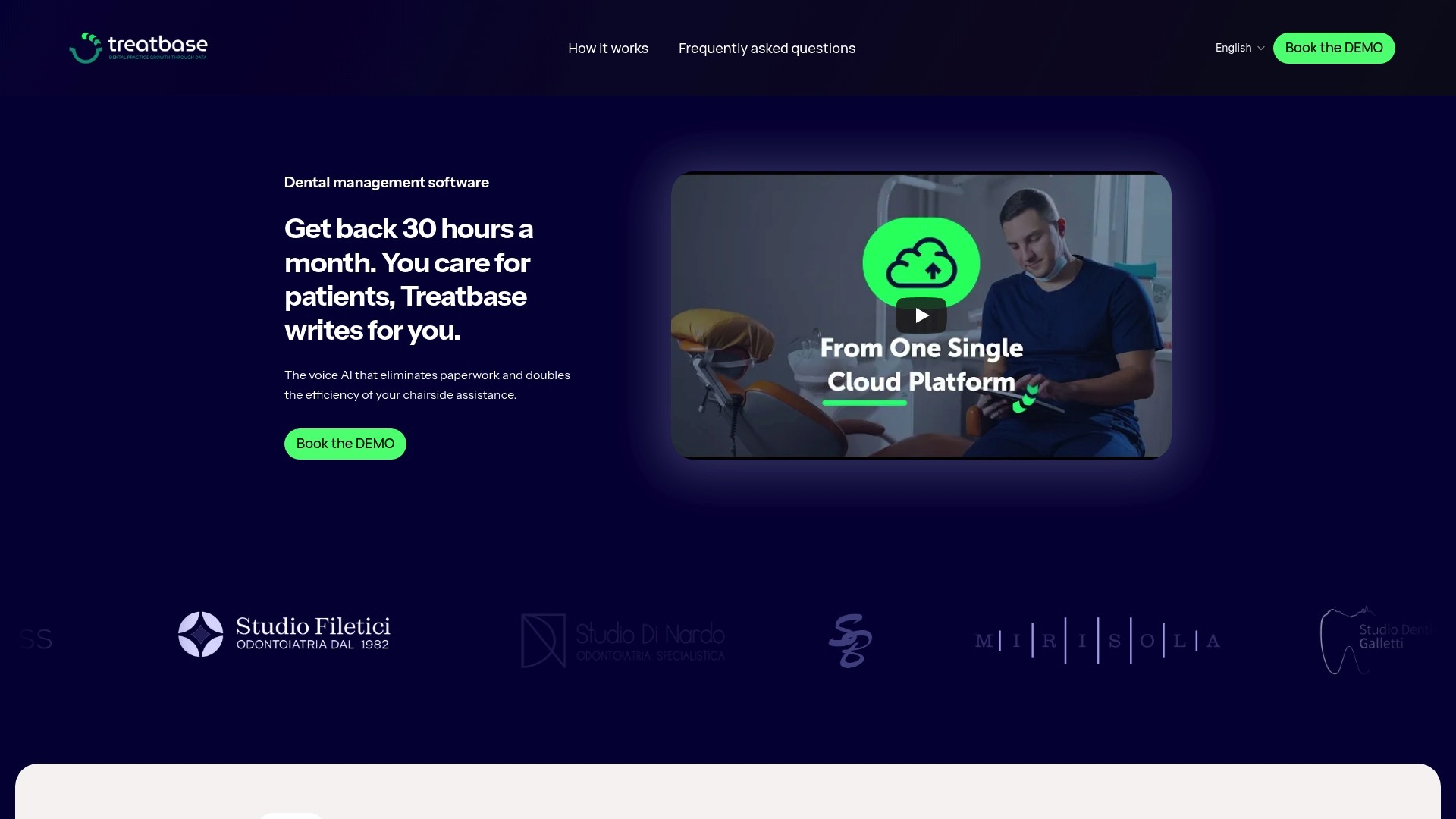
You can view all features on the Treatbase dental practice management page and see how they adapt to your practice, whether you are a solo practitioner or a multi-location group.
Our point of view
When discussing automation in the dental practice, the conversation almost always starts with the front desk: reminders, recalls, invoices. These are important, and we built them with care. But the most valuable time in the practice is spent at the chair, and that is where bureaucracy does the most damage.
This is why we placed voice at the center of Treatbase. A dentist who dictates records while working, or a hygienist who performs periodontal probing without touching the keyboard, is not just saving minutes: they are recording higher-quality data the exact moment they observe it. And it is from that data that everything else triggers automatically—the invoice, the collection, the report.
The second hurdle we see is the fear of change. Many practices remain on outdated software because they fear losing years of clinical history. That is why migration to Treatbase is simple, fast, and free of charge: your archive should be an asset, not a chain holding you back.
The right automation does not remove the professional from the process. It removes the work that does not require their expertise, so they can return to doing what they trained for: treating patients and building relationships with them.
Matteo
Frequently asked questions
What are the first automations to set up in a dental practice?
Start with those that impact chairside time: voice-driven clinical records and, if you practice periodontics, hands-free charting. Right after come automatic reminders, which reduce front-desk calls, and invoicing linked directly to procedures. The right order depends on where your practice loses the most hours, so measure before deciding.
Are voice-recorded clinical notes legally reliable?
The chart remains under the responsibility of the dentist, who reviews and confirms what the system proposes. This is exactly what the principle of human oversight outlined by the Privacy Authority for AI in healthcare requires. Voice replaces the keyboard, not clinical judgment.
Can I automate electronic invoicing for all patients?
No. For healthcare services provided to private individuals, invoices are not issued via SdI, and for required entities, data must be sent to the Health Insurance Card System (Sistema Tessera Sanitaria). Standard electronic invoicing applies instead to businesses, insurance providers, and public institutions. Good management software automates both scenarios while keeping them distinct, and your accountant can confirm the specific obligations for your practice.
Does switching practice management software mean losing historical data?
No, as long as the migration is planned: inventorying data, cleaning up duplicates, and spot-checking after the transfer. With Treatbase, data migration is simple, fast, and completely free of charge. It is best to schedule it during a period with fewer appointments, giving the team time to get accustomed without stress.
Do automations also work for multi-location groups?
Yes, and that is where they yield the most, as they allow the same charting and invoicing rules to be applied across every clinic. With multi-user management and role-based permissions, every location operates consistently, and management can compare performance using identical metrics. Multilingual support also assists groups with international teams.