Standardizing multi-site billing in dental practices
Standardize multi-site billing: map workflows, centralize master data, integrate ERP with SDI, and automate to reduce errors.

Standardizing Multi-Location Invoicing in Dental Practices
Standardizing multi-location invoicing requires three concrete levers: a single master database for all locations, direct integration between the management software and the Exchange System (SDI), and a level of automation capable of recognizing different documents without manual intervention. Management software can combine these three levers into a single platform. The first practical step is to map the invoicing flows of each location before choosing the technology.
In short:
Data migration and procedure automation are essential for reducing errors and issuance times for multi-location invoices.
AI solutions like IDP improve accuracy in document recognition compared to traditional OCR systems based on fixed templates.
It is essential to define shared rules and clear governance to ensure uniformity and validity of invoices across all locations.
Implementing a standardization project requires discovery, pilot, and gradual rollout phases, with monitoring of key metrics.
Treatbase facilitates free data migration and automates invoice management, supporting multi-location practices with a single, integrated platform.
Treatbase simplifies multi-location billing. Treatbase brings together invoice management, performance monitoring, and automated reminders in a single dental management software. Discover Treatbase
Table of Contents
Operational checklist for standardizing multi-location billing
Essential technologies and integrations: IDP, APIs, and connection with SDI/management software
Key administrative processes to standardize
Implementation plan: mapping, pilot, rollout, and training
Why Treatbase can make standardization a reality for multi-location practices
Why standardization matters more than compliance
Treatbase resources to kickstart standardization
Sources
Frequently Asked Questions
Operational checklist for standardizing multi-location billing
Standardization almost always fails for one specific reason: starting with technology instead of the process. Before looking at software, a multi-location practice must organize five key points.
Map the current flow. Count how many invoices each location issues per month, who fills them out, and with which tool. The most common discrepancies do not stem from the number of locations, but from the fact that each has developed its own practice over time.
Create a single master database. A single database of patients, suppliers, and procedure codes, shared across all locations, eliminates duplicates and discrepancies in tax data.
Define how the location is selected during issuance. Documentation from the Revenue Agency on the multi-location feature clarifies that the selected location is reported directly on the commercial document, meaning selection must be a mandatory, not optional, step in the issuance flow.
Configure mandatory fields required by the SDI: recipient code or PEC, VAT number, applied tax regime. An error here is the most frequent cause of rejection.
Manage split payment and withholding taxes where applicable, with uniform rules valid for every location, not left to the initiative of individual operators.
To these five points, governance must be added: who approves an invoice above a certain threshold, what are the maximum times between service and issuance, who intervenes in case of rejection.
A tip: Before signing any software contract, have your locations issue the same sample invoice (same service, same amount) and compare the resulting PDFs. The differences you notice are exactly the points to be standardized.
Essential technologies and integrations: IDP, APIs, and connection with SDI/management software
The difference between a system that works and one that generates continuous rejections almost always lies in the document recognition technology. Traditional OCR systems work with fixed templates: if a supplier invoice layout changes, an error is almost guaranteed. Intelligent Document Processing (IDP) solutions, based on context-aware artificial intelligence, learn to recognize new formats without needing to be manually reprogrammed every time.
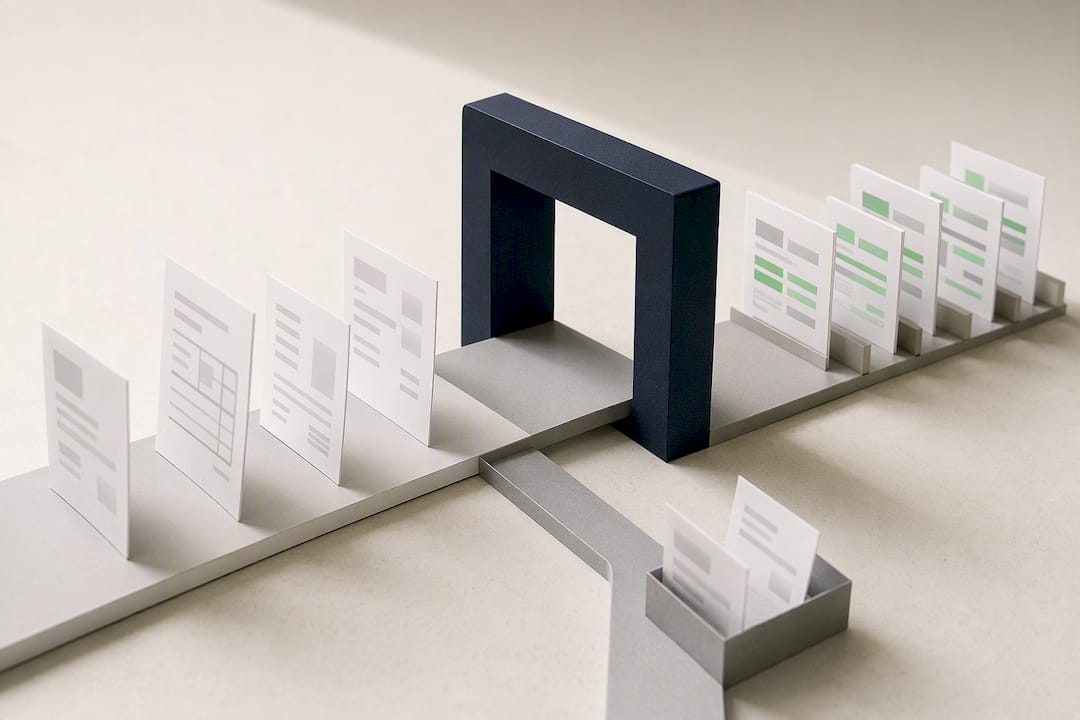
Operational guides for Italian SMEs indicate that these solutions achieve over 95% accuracy at launch, provided you start with a pilot and a training data set that is truly representative of the practice's documents.
Three technological elements make a concrete difference:
APIs for direct connection between the management software and SDI, which synchronize issuance without manual export and upload steps.
Automatic reconciliation between bank transactions and invoices, which accelerates monthly closing and reduces matching errors.
Predictive cash flow analysis, which aggregates data from multiple locations to estimate expected receipts in the following weeks.
On the regulatory front, every domestic invoice must comply with CIUS-IT rules and UBL/CII standards, which are automatically activated when the BT-40 field indicates Italy as the country. A well-configured platform applies these checks before sending, not after rejection.
As highlighted by the Digital4 analysis on billing automation, the real benefit only comes when automation is part of a systemic digitization of both the accounts receivable and payable cycles, not when it remains an isolated task.
Key administrative processes to standardize
In addition to technology, you need written rules shared across all locations. Without this layer of governance, even the best software ends up applying different procedures depending on who is using it.
Single customer and supplier master database, updated by a single reference person to avoid duplicates with conflicting tax data across locations.
Clear rules for selecting the location in the document, with the field being mandatory and non-editable after issuance.
Automatic validation of fields required by SDI and CIUS-IT prior to sending, so the operator sees the error immediately and not after rejection.
Compliant digital preservation policies, with audit trails tracking who created, modified, or approved each document.
Periodic reconciliation checks, with monthly reviews of SDI rejections per location, to identify recurring patterns (same operator, same type of error, same supplier).
These checks take very little time when automated, but become an enormous burden when left to scattered manual verifications across the reception desks of different locations.
Implementation plan: mapping, pilot, rollout, and training
A well-managed standardization project follows four distinct phases, rather than a single installation across all locations simultaneously.
Discovery. Collect real invoice examples from each location, including exceptions (credit notes, split payment, invoices to private individuals and businesses).
Technology selection and initial configuration. Set up master data, mandatory fields, and validation rules based on findings from the discovery phase.
Pilot in one or two locations, for a period of 2-6 weeks. Operational guides for SMEs indicate that a limited pilot reduces risk and produces concrete evidence before extending the system to all locations.
Gradual rollout, location by location, accompanied by targeted training for administrative staff and location managers.
There are three metrics to monitor during the pilot and after the rollout: percentage of SDI rejections, average time between service and invoice issuance, and monthly hours saved compared to the previous process.
A tip: Don't measure the pilot's success solely by zeroed rejections. Ask the staff how much time they take today to issue an invoice compared to before: it is often the most convincing data to get other locations on board.
Why Treatbase can make standardization a reality for multi-location practices
Modern management software addresses standardization by starting with a very practical problem: data migration. Transitioning from different systems across locations to a single platform is often the real obstacle, not the choice of software itself. Treatbase offers free data migration, designed to avoid the most common bottleneck in consolidation projects.
The system can automate invoice management, patient reminders, and practice performance monitoring, reducing manual transcription work thanks to advanced technologies.
Area | Concrete benefit |
|---|---|
Data Migration | Free, supported, designed for multi-location transitions |
Invoicing | Automated, reducing manual errors |
Training | Dedicated tutorials on payments and practice data |
Monitoring | Centralized performance analysis across locations |
Practices adopting digital management solutions can save significant hours per month, time that translates into greater focus on patient relationships rather than administrative bureaucracy.
Why standardization matters more than compliance
Treating billing standardization as merely a compliance obligation is the most common error in perspective among multi-location practice owners. The real stake is management control: without uniform data across locations, understanding which location is truly profitable becomes an exercise in approximation. Freeing up hours of administrative work isn't just about saving money, but shifting that time to analysis and patient care. If I had to choose just one priority intervention, I would start with the single master database: it is the foundation upon which everything else rests.
— Matteo
Treatbase resources to kickstart standardization
Treatbase is designed for dental practices that want to stop managing each location with its own rules without having to change management software every time they open a new office: a single platform replaces spreadsheets, manual reminders, and fragmented billing across different reception desks.
The most concrete way to find out if it's right for you is to start with a pilot in one or two locations, taking advantage of the free data migration so you don't lose existing history. Tutorials on payments and practice financial management show step-by-step how the flow works once configured. Request a demo to evaluate the potential operational return on your network of locations before deciding.
Sources
For those who want to delve deeper into the technical requirements before choosing a provider, these resources remain the most reliable reference points:
Electronic invoicing: Generating a Commercial Document - Multi-location (Revenue Agency)
European invoicing technical specifications (CIUS-IT) - Revenue Agency
The role of automation in electronic invoicing and process optimization (Digital4)
Frequently Asked Questions
What does standardizing multi-location billing mean?
It means applying the same issuance rules, mandatory fields, and master database to all locations of a practice, instead of letting each location handle billing its own way. The goal is to reduce errors, SDI rejections, and administrative time.
How do you select the correct location on an electronic invoice?
The system must include a mandatory location selection field before issuance, as described in the Revenue Agency's multi-location feature, where the chosen location is then reported on the commercial document. A well-configured software does not allow invoices to be issued without this selection.
How much does Treatbase cost for a multi-location practice?
Current prices are not publicly listed in this article; to find out the exact costs based on the number of locations, it is best to consult the Treatbase website directly.
How long does a billing standardization pilot last?
A realistic pilot lasts between 2 and 6 weeks in one or two locations, as indicated in operational guides for Italian SMEs. This period allows you to verify SDI rejection rates and issuance times before extending the system to all locations.
What happens if an invoice does not comply with CIUS-IT rules?
The document is rejected by the Exchange System (SDI) and must be corrected and resent, resulting in payment delays. CIUS-IT technical specifications precisely define the mandatory fields to validate before sending to avoid this problem.