Online payments for dental practices: what to activate right away
Contactless POS and link-based payments integrated with the management software simplify collections in the dental practice and reduce unpaid bills: find out how.

Online payments for dental practices: what to activate immediately
The most effective way to manage online payments in a dental practice is to combine three tools: contactless POS or Tap to Pay at reception, pay-by-link for remote collection, and direct integration with the management software that automatically reconciles everything. This combination reduces unpaid bills and cuts administrative work related to double entries and manual checks. Some platforms allow managing payments, invoices, and reminders in a single flow, without switching between disconnected systems.
In brief:
Activating contactless POS, pay-by-link, and management software integration simultaneously reduces errors and simplifies payment reconciliation.
In-house installment plans carry a risk of unpaid bills, while specialized BNPL and financing options facilitate installment payments with varying costs and timeframes.
Direct integration between payments and management software avoids double entries and improves the financial management of the practice.
Payment systems must comply with PCI DSS and PSD2 security standards, avoiding manual storage of sensitive data.
Digitalizing payments today avoids separate systems and increases cash control, with benefits reflected in the medium term.
TreatbaseSimplifies practice managementTreatbase brings together invoices, services, and automatic reminders, reducing the daily administrative workload of the dental practice.Discover Treatbase
Table of Contents
Which online payment methods should you activate in the practice?
How does digital installment payment work for patients?
Why does integrating payments with the management software reduce errors?
What security obligations apply to practice payments?
How do you activate online payments in the practice, step by step?
How do digital payments reduce unpaid bills?
Why digitalizing payments today pays off in the medium term
Managing payments and invoices with Treatbase
Sources
Frequently Asked Questions
Which online payment methods should you activate in the practice?
A dental practice today needs multiple channels simultaneously, because every patient and every situation requires a different method. The patient at reception wants to pay in thirty seconds with a card or phone; the one who has just finished an implantology cycle remotely needs a link to click comfortably from home.
The most common options are:
Physical and contactless POS: remains the standard for on-site payments, fast and with no fees perceived by the patient.
Tap to Pay on smartphone or tablet: useful for mobile reception, home visits, or practices with multiple chairs and limited space at the counter.
Virtual POS, QR codes, and pay-by-link: allow remote collection, for example after an initial check-up and quote, or for post-treatment balances.
Online transfer and SEPA direct debits: suitable for recurring payment plans on long treatments, such as orthodontics or complex rehabilitations.
Wireless readers and digital wallets like Apple Pay or Google Pay speed up transactions and reduce queues at reception, but carry slightly higher fees compared to bank transfers. The payment processing solutions designed for the dental sector allow managing all these channels within a single interface, avoiding every method becoming a separate system to check manually.
How does digital installment payment work for patients?
Not all patients can settle a high-value treatment plan in a single payment, and this is where installment plans come in. There are three distinct paths, with different impacts on the practice's cash flow.
In-house installment plan: the practice itself divides the amount into installments, collected via saved card or direct debit. No intermediary costs, but the risk of unpaid bills remains entirely with the practice.
BNPL specialized in dentistry, such as Pagodil: the patient receives the outcome in a few minutes, the practice collects the full amount immediately, and the credit risk transfers to the financer, in exchange for a fee.
Partnered financing with companies like Compass: suitable for higher amounts, requiring income documentation and longer approval times, as reported by the practical experiences of practices using Pagodil and financing agreements.
It is best to propose installment options within the written treatment plan, not after, so the patient evaluates the option alongside the treatment and does not discover it at the end of the session as a problem to be solved quickly.
Why does integrating payments with the management software reduce errors?
Every payment that does not automatically end up in the patient's account is a potential admin error: a collection registered twice, a balance that does not match the invoice, a reminder sent to someone who has already paid. Direct integration between the payment processor and management software eliminates manual reconciliation and reduces these errors, with direct benefits on reporting and financial control.
Before choosing a provider, it is worth asking:
If they offer open APIs to connect to the software already in use at the practice.
If they apply tokenization to card data, instead of saving them in plain text.
If the collected amounts arrive already reconciled in the patient's account, without double entry.
If they support multiple locations with unified reporting for those managing chains or associated practices.
Integrated solutions reduce double entries and simplify bookkeeping reconciliation, a problem that weighs heavily especially in practices with multiple receptionists. Some software links payments, billing, and automatic reminders in a single environment, so the collection updates the patient's account on its own without intermediate steps by the admin staff.
A tip: before signing a contract with a payment provider, ask for a test with real data to verify that automatic reconciliation actually works with your current management software, not just on paper.
What security obligations apply to practice payments?
Payment providers must comply with PCI DSS standards, which require tokenization and encryption of card data, and PSD2 rules on Strong Customer Authentication (SCA) for European transactions. These two regulatory references define the minimum security measures that every payment system must guarantee, and a dental practice should not accept providers that do not comply with them.
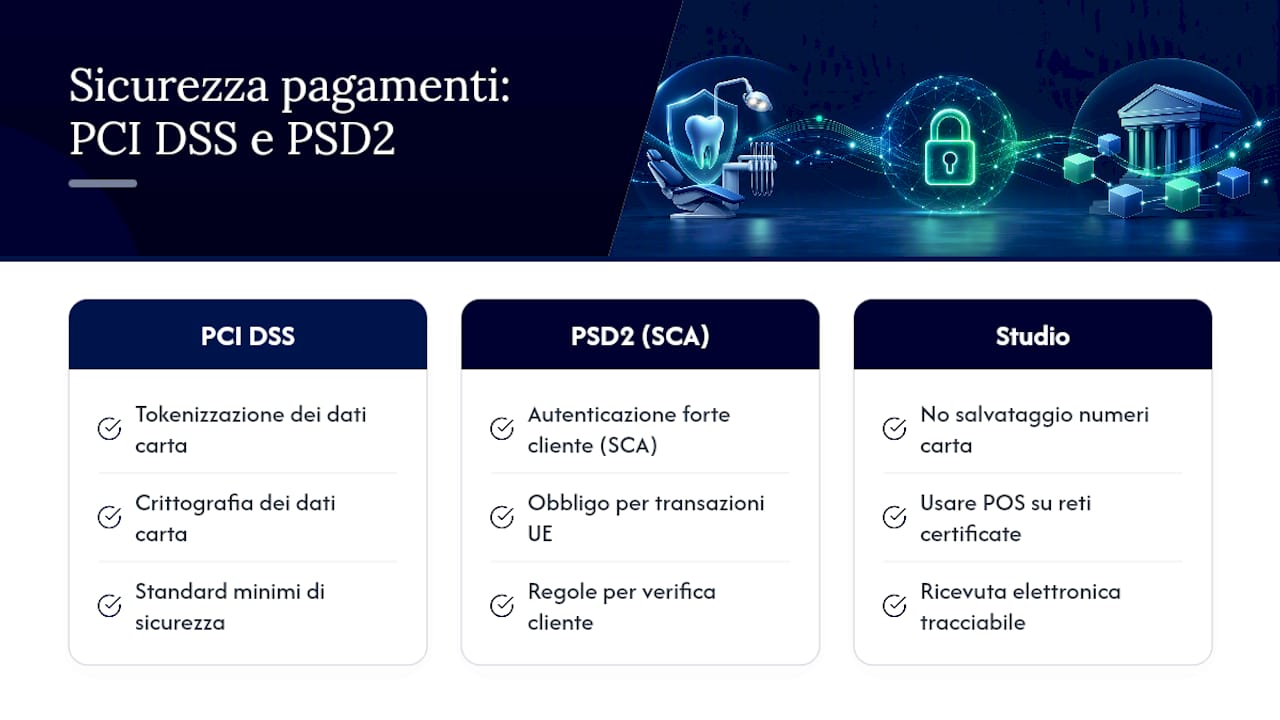
In practice, this means avoiding saving card numbers in Excel files or paper notebooks, and using only POS terminals connected to secure, certified networks. The electronic receipt issued with each payment then becomes the key tool for tax traceability: accepting electronic payments facilitates bookkeeping control and deductions both for the practice and for the patient, who can deduct healthcare expenses without having to look for old paper receipts at the end of the year.
How do you activate online payments in the practice, step by step?
Activation typically takes between two and four weeks, including opening the merchant account, technical integration, and staff training. The practical sequence is as follows:
Verify that the business account and IBAN are ready to receive collections from the new processor.
Choose the POS or online payment provider, comparing rates and contracts with attention to transaction fees.
Configure integration with the management software and test a payment and a refund before going live.
Prepare email and SMS templates with payment links to send to patients.
Train the reception staff on the new flow, update data processing consent forms, and publish payment options on the practice website.
Skipping the refund test is the most common mistake: many practices only discover this when a patient asks for a deposit back and the procedure has never been verified.
How do digital payments reduce unpaid bills?
An automatic reminder with an included payment link converts far more follow-ups into actual collections than a generic phone call, because the patient pays at the exact moment they receive the message, without having to call the practice back to ask for bank details. Industry articles confirm that digital payments are becoming an integral part of patient expectations, no longer an exception reserved only for tech-savvy individuals.
Other concrete levers:
Requesting a partial deposit at the time of treatment booking, clearly indicated in the written treatment plan.
Saving the card with explicit consent for subsequent balances, avoiding chasing the patient at every session.
Managing refunds with a written and shared procedure, so the admin staff does not have to improvise case by case.
Why digitalizing payments today pays off in the medium term
Many practices postpone digitalizing payments because it seems like a complicated technical project, whereas the real risk is the opposite: continuing to accumulate disconnected systems, one for collections, one for invoices, one for reminders. Every separate piece is one more point where data gets lost or duplicated.
Investing immediately in a single integration avoids this fragmentation and returns real cash flow control, not just theoretical. Solutions exist that centralize these flows, offering free data migration that allows starting without having to rebuild patient records from scratch.
— Matteo
Managing payments and invoices with Treatbase
Alternative solutions exist to a mosaic of disconnected tools for managing practice collection: a single environment where payments, invoicing, and reminders talk to each other without manual steps.
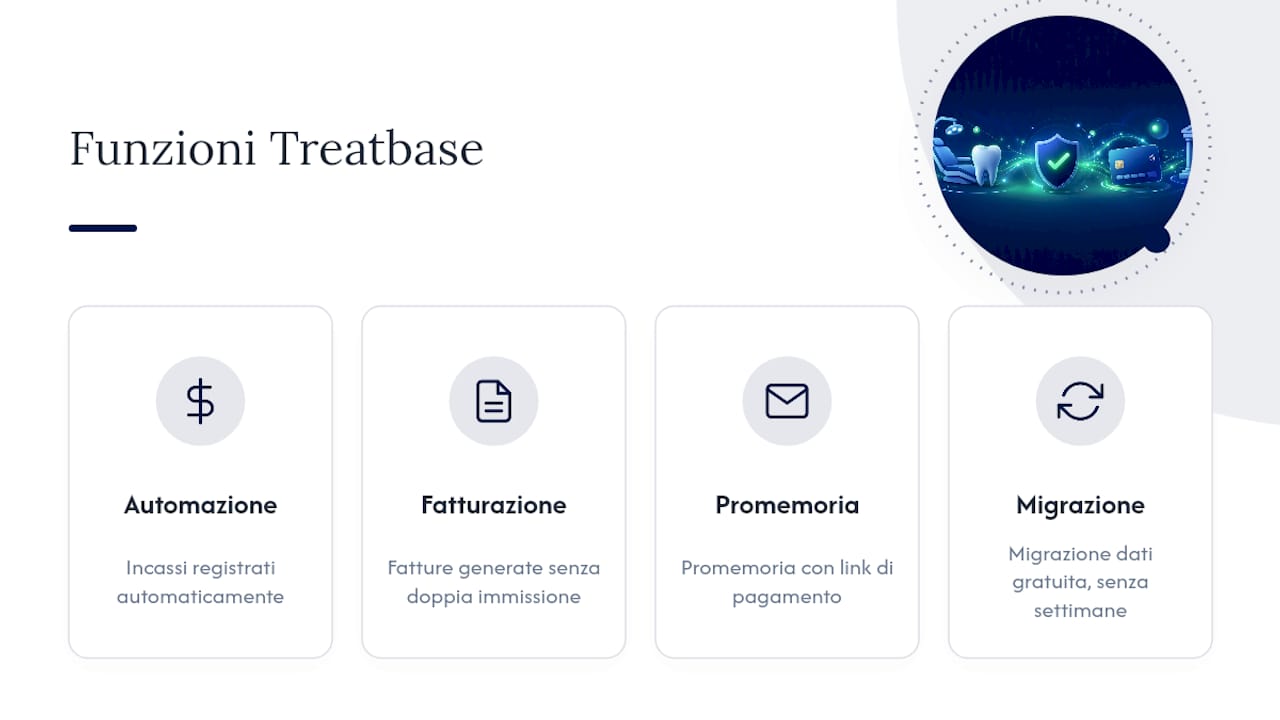
The platform automatically records each collection in the patient's account, generates invoices without double entry, and sends reminders that include the payment link, reducing the time the admin staff spends on checks and follow-ups. The section dedicated to payments in the Treatbase tutorial describes in detail how these flows connect to the calendar and the patient file. Data migration from your current software is free and does not require weeks of extra work for the staff.
If you manage multiple chairs or multiple locations and want to see how it works in practice, visit the Treatbase main page and request a demo to verify the integration with your current workflow.
Sources
To verify the technical requirements of digital payments, consult the official standards of the PCI Security Standards Council on card data protection. Stripe's analysis of dental payment systems explores the integration between physical and online channels, while the Treatbase tutorial on payments shows the practical application in a real practice.
Frequently Asked Questions
What payment methods are available for a dental practice?
A practice can offer contactless POS, Tap to Pay from smartphones, pay-by-link for remote payments, bank transfer or SEPA direct debit for recurring plans, as well as wallets like Apple Pay and Google Pay.
How can I pay the dentist in installments without external financing?
Many practices offer in-house installment options, with the amount split into installments collected via saved card or direct debit, without involving a third-party financial company.
How can I pay the dentist if I do not have the full sum available?
In addition to in-house installment plans, there are installment services dedicated to dentistry such as Pagodil, which pay the amount to the practice immediately and allow the patient to pay it back in installments, or partnered financing with companies like Compass for higher amounts.
How do you pay the dentist with current digital systems?
You can pay in the practice by card or wallet via contactless POS, or remotely with a payment link received by email or SMS, often linked directly to the treatment plan recorded in the management software, as is the case with Treatbase.