Surgical planning in the agenda: what the management software must have
Organize surgical planning in the schedule by linking the plan, operators, materials, and traceable consents to avoid double bookings.

Surgical planning in the calendar: what the management software must have
The calendar for dental surgery must link the treatment plan and all resources—namely operators, dental chairs, materials, and clinical documents—into a single visible flow. Surgical planning in the calendar only works if it supports multi‑appointment flows, automatically blocks resources, and stores consents in a traceable manner. Without these three elements, every procedure remains a risk of double booking or missing material on the day of the appointment.
In brief:
Surgical planning must connect all resources and documents in an integrated flow, supporting multiple appointments and consent traceability.
A complete calendar entry includes data on the procedure, duration, operators, room, materials, clinical notes, and digital attachments like CBCT or consents.
Multi‑appointment management requires an automatic link between implantology phases, from diagnosis to the prosthetic phase, to avoid delays or omissions.
It is essential to verify that the software is compatible with DICOM and STL formats and allows practical import/export testing before purchase.
Data migration must be tested with real cases, prioritizing systems with effective permissions and audit logs, and asking for clear clauses on backup and portability.
TreatbaseSimplifies clinic managementTreatbase uses voice AI to manage charts, invoices, and reminders, reducing bureaucracy and operational errors.Discover Treatbase
Index
What the calendar entry for a surgical procedure must contain
How to organize the multi‑appointment workflow for implantology
Which technical requirements to verify before choosing the software
What guarantees to ask for regarding privacy and consents
How to migrate data and test the management software before roll‑out
What really matters when choosing management software
Why Treatbase is the practical choice for the clinic's surgical calendar
Sources
Frequently asked questions
What the calendar entry for a surgical procedure must contain
A poorly written calendar entry is the most common cause of delays in the operating room. It is not enough to write "implant at 15:00": the entry must carry with it everything needed by those operating and those welcoming the patient.
The minimum fields that a surgical appointment card should always have are:
Procedure and code (type of surgery, any internal or insurance coding)
Estimated duration, including setup and chair disinfection times
Operators involved: surgeon, assistant, any anesthetist
Assigned chair or room, with verification of equipment availability
Materials and specific kits (implants, surgical guides, dedicated instruments)
Pre- and post-operative notes for the patient and staff
Clinical attachments: CBCT, intraoral scans, signed consent
Linking the appointment to the clinical chart prevents these attachments from being scattered across emails, chats, and shared folders. When the calendar card points directly to the CBCT file or the STL of the surgical guide, whoever prepares the room does not need to look for anything elsewhere.
Preset templates for types of surgery, for example one for complex extraction and one for guided implantology, reduce omission errors because the fields auto-fill with standard values, leaving only case-by-case customizations. Finally, searching for free slots across multiple resources simultaneously (chair, surgeon, assistant) prevents the room from being booked without checking if the specialized assistant is already busy elsewhere.
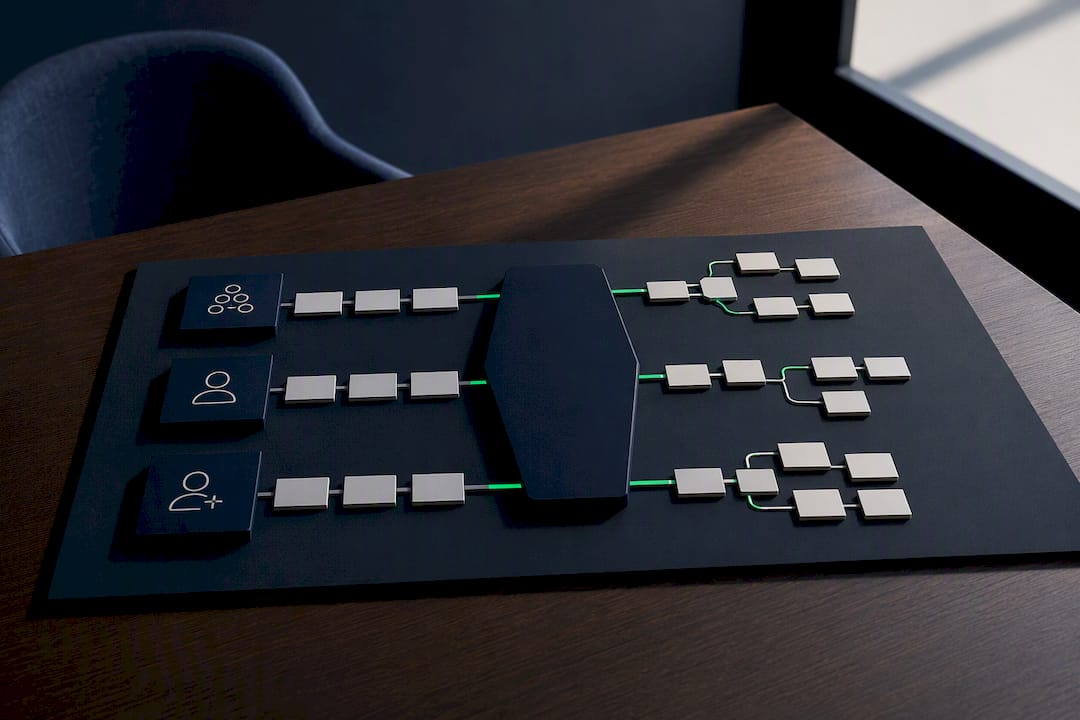
How to organize the multi‑appointment workflow for implantology
Guided implantology is not a single appointment: it is a sequence of phases with precise time dependencies, and the calendar must reflect that sequence, not just the date of the surgery.
A typical sequence, consistent with clinical literature on digital workflows for implantology, includes:
Initial diagnostic visit with clinical evaluation
Imaging and scanning (CBCT, intraoral scan)
Clinical planning of implant position
Production of the surgical guide (internal or via laboratory)
Surgical intervention with implant placement
Short-term post-operative check
Prosthetic phase, with impression and delivery of the final restoration
A clinical case combining CBCT and intraoral scanning to plan implant placement reports times that reach the final crown after about 3 months from the initial surgery. This interval must be entered into the management software as a linked reminder, not as a free note: if the prosthetic phase is not automatically linked to the surgery date plus the healing interval, the risk is that the patient remains without scheduled follow-up.
A tip: create a “parent appointment” for the surgery in the management software and link the “child appointments” (check, impression, delivery) to it with automatically staggered reminders: this way no phase depends on the reception staff's memory.
Which technical requirements to verify before choosing the software
The clinical planning of the implant and the organizational planning of the calendar are two different things, and confusing them is the most common mistake in the purchasing phase. Implant planning software handles CBCT and surgical guides; the calendar management software only needs to know how to link them to the right appointment, without replacing clinical work.
The review on guided implant planning systems confirms that these systems rely on DICOM for importing radiographic images, while support for STL models and the ability to design or export surgical guides vary greatly from product to product. Before signing a contract, verify:
Whether the management software correctly imports and displays DICOM files coming from the clinic's CBCT
Whether it handles STL for models and guide designs, even if only as an attachment linked to the chart
Whether the exportable data is in universal formats or only in proprietary formats that tie you to the supplier
Whether it is possible to perform a real import/export test with your imaging samples before purchasing
Whether the system is cloud or on‑premise and how it interfaces with external CAD/CAM laboratories
A clinic with multiple locations has additional needs: market specification sheets on dental management software report that granular permissions, shared calendars across locations, and aggregatable reports are now standard requirements for those managing multiple clinics under a single organization.
What guarantees to ask for regarding privacy and consents
Paperless informed consent is not just a signed PDF file: it is a document that must remain traceable, associated with the patient and the specific procedure, and retrievable in case of an audit or dispute.
The features to request from the supplier include:
Granular permissions by role (who sees the chart, who edits the calendar, who accesses consents)
Audit log that records every access and modification to clinical data
Traceable storage of consents with timestamps and integrity verification
Clear contractual clauses on backup, data portability, and access to logs in case of termination of the relationship
Regarding electronic signatures, the AGID guidelines on the dematerialization of informed consent specify the technical and procedural requirements for graphometric signatures, distinguishing them from advanced or qualified signature solutions with different documentary obligations.
The European Commission study on the use of health data highlights significant differences between Member States in the application of the GDPR to clinical data, distinguishing primary use (patient care) from secondary use (research, administrative management). This distinction matters because a management software that also uses data for internal statistics must explicitly state this in the patient information sheet.
How to migrate data and test the management software before roll‑out
Switching to new software cannot be improvised: a migration done without verification produces gaps in the calendar, lost attachments, and incorrect permissions right in the week when the clinic should be fully operational.
The steps to follow, in order:
Export data from the current management software in a readable and complete format
Import into a test environment separate from the production calendar
Verify images and attachments: CBCT, STL, and signed consents must arrive intact
Validate permissions for each role before opening access to all staff
Simulate a complete implant case with DICOM and STL, multi‑resource booking, and rescheduling an appointment
A practical migration test on real data remains the most reliable way to verify interoperability before signing a multi-year contract.
A tip: do not limit yourself to a demo guided by the supplier: ask to import a real sample of your data and reproduce a complete surgical case, from diagnostics to post-operative follow-up.
The management software may offer free data migration, and voice artificial intelligence reduces the time spent on manual transcription during the visit. The practical tutorials on the calendar and visit management show step-by-step how to link the clinical chart and surgical calendar.
What really matters when choosing management software
Those evaluating new software often focus on the interface and ease of use of the demo. This is a misplaced priority. Data security and real interoperability—not what is promised in a slide—come first: a beautiful calendar that does not correctly import a CBCT or loses consent access logs is a bigger problem than slowness.
Operational practicality comes later, not before. Before signing, always schedule a migration test with real data and a complete pilot case, from diagnostics to post-operative follow-up. Only then will you discover the real limits of the system, not the ones the salesperson decided to show you.
— Matteo
Why Treatbase is the practical choice for the clinic's surgical calendar
Treatbase eliminates the manual transcription work that slows down surgical calendar management: voice artificial intelligence fills in the clinical chart while you talk to the patient, leaving the calendar with the sole task of coordinating times and resources.
The link between treatment plan and calendar entry is direct: procedure, operators, materials, and pre- and post-operative instructions remain in the same flow, without moving between separate sheets or paper reminders. Data migration from your current management software is free and fast, and dedicated tutorials, from visit management to patient management up to payments, show every step in a practical way, without the need for long theoretical training.
If you already manage implant surgeries or guided surgery and want to check how the system behaves with your real data, you can request more information about Treatbase and test the import with a concrete surgical case before deciding.
Sources
The cited sources concern digital implant workflows, DICOM/STL requirements, EU rules on health data, and AGID guidelines on graphometric signatures.
Mapping of rules and practices on the use of health data in the EU (Executive summary)
Guidelines for the dematerialization of informed consent (AGID)
Frequently asked questions
What must a calendar entry for a surgical procedure contain?
It must include procedure, duration, operators involved, assigned dental chair, specific materials, pre- and post-operative notes, and links to clinical attachments such as CBCT or signed consent. Without these fields, the risk of resource conflicts increases significantly.
What is the difference between clinical planning and calendar planning?
Clinical planning concerns the design of the implant using CBCT, STL, and dedicated software, while calendar planning coordinates times, operators, and clinic resources. The calendar management software connects these two worlds but does not replace the implant design software.
How much time passes between implant surgery and the final crown?
A clinical case combining CBCT and intraoral scanning reports about 3 months between implant placement and insertion of the final crown. Times vary based on the healing protocol chosen by the surgeon.
What should be checked before signing a contract with a new management software?
Always ask for an import/export test with real data, verification of permissions for each role, and contractual clauses on backup and data portability. A practical migration test remains the safest way to avoid surprises after signing.
How much does Treatbase cost for a dental clinic?
The price is not published on the website and must be requested directly from the provider. Treatbase nevertheless offers free data migration regardless of the chosen plan.