Dental clinic data security: what to do first
Discover the three priority actions to secure your dental practice's data and avoid ransomware, fines, and loss of trust.

Dental office data security: what to do first of all
The three priority actions for dental practice data security are: regularly tested off-site backup, multi-factor authentication and updated administrator register, complete GDPR documentation with a notification procedure to the Data Protection Authority ready for use. Without these three pillars, a practice remains exposed to ransomware, fines and loss of patient trust. The rest is optimization: these three points are the non-negotiable foundation.
In brief:
Data security in the dental office requires a regularly tested off-site backup, multi-factor authentication, and an updated register of administrators.
It is crucial to implement technical measures such as data encryption, regular updates, and network segmentation to prevent attacks and unauthorized access.
GDPR documentation must be complete and ready, including registers, specific information notices, and notification procedures in the event of a data breach.
Incident management requires written and tested procedures to quickly contain, assess, and notify any breaches to the Data Protection Authority.
The use of an appropriate management system, such as Treatbase, helps centralize data and processes, reducing errors and facilitating compliance with security and privacy regulations.
Treatbase Simplifies practice management Treatbase centralizes dental practice data and processes, reducing errors and facilitating daily management.Discover Treatbase
Index
Why dental practice data is particularly sensitive
Essential regulatory framework: GDPR articles and practical obligations
Practical technical and organizational measures to implement immediately
Backup and disaster recovery: designing RTO/RPO and restore tests
Roles and responsibilities: DPO, system administrator, controller, and suppliers
Incident management: practical 6-step procedure
Access control, logging, and monitoring: what to check in management software
Training, operational policies, and staff management
Practical checklist and essential document templates
Author's comment: strategic priorities to protect patients and operations
Recommended solution: how a management system designed for practices reduces risks and costs
Sources
Frequently Asked Questions
Why dental practice data is particularly sensitive
A dental practice handles information every day that the GDPR classifies as special categories of data, namely health-related data, which has a higher level of protection compared to common personal data. The Regulation (EU) 2016/679 imposes appropriate technical and organizational measures precisely because a breach in this area has consequences that go beyond financial damage.
Typical data processed in a dental practice includes:
complete medical and pathological histories, including allergies and ongoing drug therapies
X-rays, dental CT scans, and high-definition diagnostic images
treatment plans, financial estimates, and periodontal charts
billing data linked to specific healthcare services
signed informed consents and documentation of invasive treatments
A breach of this data is not a simple IT incident. A patient who sees their X-rays or treatment plan disclosed suffers real reputational damage, and the practice risks fines, civil litigation, and a loss of trust that is difficult to recover. For the practice itself, system downtime during an attack means blocked agendas, missed appointments, and weeks of administrative work to rebuild what a backup would have saved in minutes.
Essential regulatory framework: GDPR articles and practical obligations
Three articles of the GDPR structure the entire data protection strategy for a dental practice. Article 5 sets out the general principles: minimization of data collected, purpose limitation, accuracy, and storage only for the necessary time. Article 32 obliges the adoption of technical and organizational measures proportionate to the risk, including encryption and access control. Article 33 mandates notifying a breach to the Data Protection Authority within 72 hours of discovery.
Protection by design and by default means, in practice, that every new tool adopted in the office, from the management system to the online booking software, must be pre-configured to collect the bare minimum and protect data by default, not as a subsequent remedy.
The data protection impact assessment (DPIA) becomes necessary when processing health data on a large scale or introducing new technologies, such as artificial intelligence systems for diagnostics or cloud storage of large volumes of images. Even a medium-sized practice with multiple dental chairs and several collaborators should seriously consider it.
The minimum documentation that every practice must have ready includes:
updated register of processing activities with purposes, legal bases, and retention times
specific privacy disclosures for patients, provided before the first visit
formal appointments of any external data processors (laboratories, cloud management software)
written data breach management procedure, ready before it is needed
The privacy documentation kit for dental offices lists exactly these elements as the basis for passing an inspection by the Data Protection Authority without surprises.
Practical technical and organizational measures to implement immediately
IT security for dentists does not require a dedicated IT department, but it does require discipline on a few high-impact measures. Here are the operational priorities, in order of urgency:
Multi-factor authentication (MFA) on all accesses to the management software, email, and cloud systems. Every collaborator has a personal account, never shared: unique passwords for each workstation are the first error that an audit identifies.
Data encryption at rest (on servers and devices storing medical records) and in transit, using TLS protocol for all communications with the management software or external suppliers.
Regular updates and patching on operating systems, management software, and networked devices, with a fixed monthly check-up and not left to the memory of the IT manager.
Network segmentation, separating the Wi-Fi network for patients from the one hosting clinical and administrative data.
Least privileges, giving each role access only to the strictly necessary data: the reception desk does not need to see full clinical notes, the hygienist does not need access to accounting.
Personal device policies, strictly prohibiting or regulating the use of private smartphones to access medical records or communicate with patients.
A tip: do a physical walkthrough of the office once a quarter and check how many computers are left unlocked during the lunch break. It is the most common weak point and the least expensive to correct.
Backup and disaster recovery: designing RTO/RPO and restore tests
A backup that has never been tested is not a backup, it is a hope. The most solid healthcare backup practices combine on-site copies for quick recovery with immutable off-site copies, which no ransomware can encrypt or delete once written.
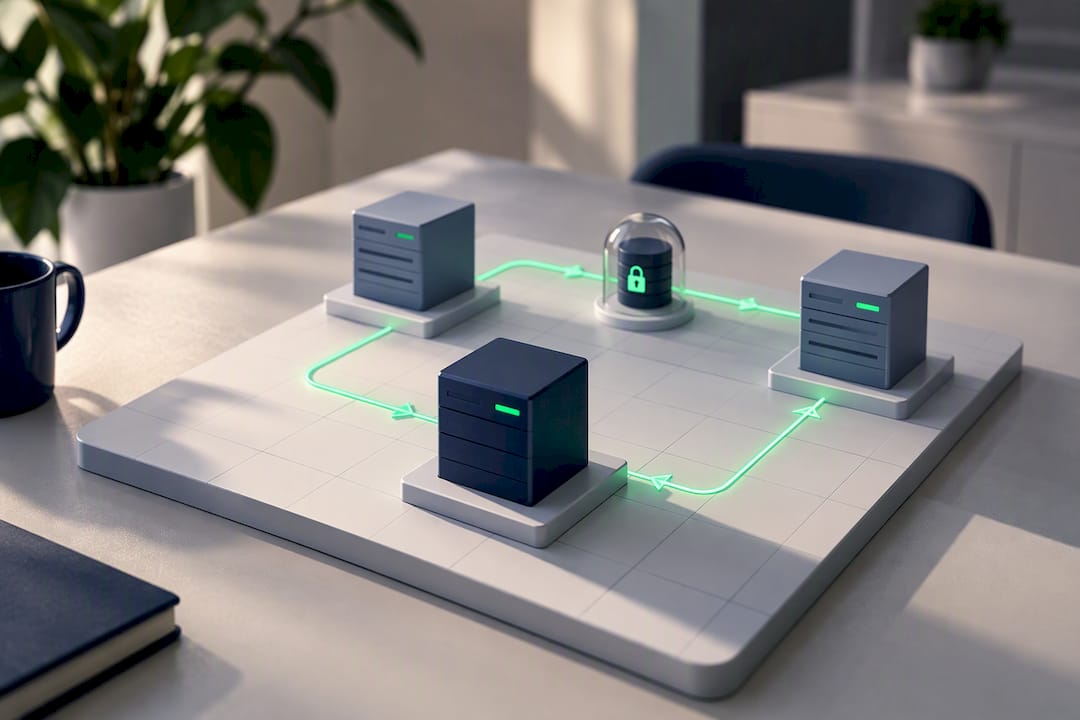
For a dental practice, the frequency of backups depends on criticality: medical records updated daily require daily backups, while less active historical archives can follow weekly cycles. A reasonable recovery time objective (RTO) for a medium-sized practice is around a few hours, so as not to block an entire day's schedule.
The elements to check for a solid patient data backup strategy:
off-site copies kept at a physical distance from the practice, to withstand events such as fire or theft
versioning and immutability, to prevent ransomware from overwriting historical copies
quarterly restore tests, with a written report of who performed the test and how long it took
logs kept to prove, in the event of an audit, that the tests were actually carried out
Enterprise solutions for the healthcare sector now integrate zero trust and automatic anomaly detection approaches precisely to accelerate recovery after an attack. Even a small practice can replicate the underlying logic: backups separated from the main network, regularly tested, not just configured and forgotten.
Roles and responsibilities: DPO, system administrator, controller, and suppliers
The appointment of a DPO (Data Protection Officer) is not automatic for every practice, but it becomes appropriate when processing health data on a large scale, with multiple locations or a high volume of patients. The DPO advises on compliance with the GDPR, audits internal procedures, and acts as a contact point with the Data Protection Authority, but the ultimate responsibility always remains with the data controller.
An element often overlooked, but checked during inspections, is the system administrator register provided for by the Italian Data Protection Authority's Provision of November 27, 2008: anyone with privileged access to the IT systems (the external IT technician, the management software provider) must be identified and tracked in a formal list.
When the practice relies on cloud management software, the responsibility in case of an incident does not automatically transfer to the supplier. If the supplier suffers a breach involving your patients' data, you are still the one who must evaluate notifying the Data Protection Authority, because you remain the data controller.
For this reason, before signing a contract with any supplier, it is advisable to check:
clear service level agreements (SLAs) on recovery times and log availability
access to system logs in case of a forensic investigation
location of servers and GDPR compliance of the supplier itself
clauses of appointment as external data processor, formalized in writing
Incident management: practical 6-step procedure
When something goes wrong, having written down what to do cuts reaction times drastically. Here is the operational sequence to follow:
Immediate identification and containment: isolate the involved systems from the network to prevent the incident from propagating to other devices or connected backups.
Log collection and preservation: save copies of access logs before they are overwritten, because without logs it is impossible to reconstruct what happened.
Risk assessment: determine how many patients are affected, which categories of data are exposed, and the likelihood of concrete harm.
Decision on notification to the Data Protection Authority: if the risk to patients' rights is concrete, the notification must be sent within 72 hours of discovery, not from the start of the incident.
Communication to the affected patients, when the risk is high, with clear language on what happened and which data are involved.
Follow-up and review, updating internal procedures to prevent the same incident from happening again.
Many practices fail to meet the 72-hour deadline simply because they do not have a playbook to collect technical evidence in a timely manner: planning in advance who does what, with which tools, is what makes the difference between a timely and a late notification.
A tip: print out the procedure on two pages and keep it physically accessible in the office. During a real incident, no one wants to search for a file on a server that might be the very one compromised.
Access control, logging, and monitoring: what to check in management software
A reliable dental management system must track who did what, when, and on which medical record. The minimum events to record include system logins, data exports, modifications to medical records, and failed login attempts. Storing these logs should cover at least six months, a period that allows reconstructing the timeline in the event of an investigation following an incident.
Essential checks to perform regularly:
activate automatic alerts for accesses out of hours or from unrecognized workstations
review quarterly who has access to which sections of the management software
request contractually from the supplier complete access to logs in case of forensic support
run random checks on assigned permissions, verifying that no former collaborator still has active access
Adopting controls with quarterly audits and automatic alerts tangibly reduces the risk of unauthorized access going unnoticed for weeks, which often worsens the consequences of an already occurred breach.
Training, operational policies, and staff management
The most secure technology in the world is useless if a collaborator clicks on the wrong link. A minimum training program should include an onboarding session for each new staff member, with an annual refresher for all staff, and practical phishing simulations to verify how well procedures are truly internalized.
Daily operational policies make the difference between theory and practice:
clear rules on what can and cannot be sent via email to the outside
specific patient consent before using channels like WhatsApp for clinical communications
immediate offboarding procedure, revoking all access on the same day a collaborator leaves the practice
periodic check of active permissions, cross-referenced with the actual list of staff on duty
A tip: mark the departure date of each collaborator on the calendar and set the revocation of access as the first task of the day, not as a task to do “when there is time”.
Practical checklist and essential document templates
Turning all this into concrete actions requires clear priorities. Here is a realistic sequence:
Within 7 days: activate MFA on all accounts, verify that backups actually exist and test one, draft or update the system administrator register.
Within 30 days: complete the register of processing activities, formalize privacy disclosures for patients, write the data breach procedure.
Within 6 months: assess the need for a DPIA, formalize contracts with suppliers as external processors, perform the first complete internal audit.
The essential documents to keep, preferably in a protected digital folder accessible only to the controller and the designated manager, are:
Document | Main function |
|---|---|
Register of processing activities | Map of what data is processed, for what purpose and for how long |
Patient privacy disclosure | Transparency towards patients regarding the use of their data |
Data breach procedure | Operational guide in the event of an incident |
System administrator register | Traceability of who has privileged access to systems |
When the office decides to migrate to a new management system, it is worth doing it during a window of low activity and verifying that the supplier guarantees the complete migration of existing records without data loss. If the internal team does not have specific skills in data protection, relying on a privacy consultant or an external DPO even just for an initial review is often cheaper than a fine or a poorly managed incident.
Comment of the author: strategic priorities to protect patients and operations
Those who manage a dental practice often treat data security as a bureaucratic compliance to be filed away, not as an operational investment. This is a mistake in perspective. The measures that give the most real value—tested backups, access control, and reliable logs—are also those that reduce daily administrative errors and speed up staff work.
Compliance is not a fixed goal but an iterative process: it is reviewed, corrected, repeated. Tools designed for dentistry, such as Treatbase, which integrate native encryption and tracking into the clinical workflow, take the weight off this management without requiring advanced technical skills from the practice.
— Matteo
Recommended solution: how a management system designed for practices reduces risks and costs
A management system born for dentistry removes the problem at its root: fewer manual steps mean fewer opportunities for error and less data scattered across sheets, emails, and paper notes. Treatbase uses voice artificial intelligence to fill in clinical records by speaking during the visit, eliminating manual transcription which is one of the most common causes of administrative errors and poorly entered data.
In addition to voice dictation, the system manages automated billing, patient reminders, and digital storage of signed consents, all centralized instead of scattered across different tools. The visit management and the patient management remain traceable with permissions differentiated by role, an element that data security audits always verify. Data migration from the old management software should be simple and fast according to the typical characteristics of these systems.
If the practice is evaluating how to consolidate backups, access control, and document management in a single system, requesting a Treatbase demo is the most immediate concrete step to take.
Sources
This article provides general information and does not replace the advice of a qualified lawyer. Consult a qualified legal professional regarding your specific case before acting based on this content.
Frequently Asked Questions
What must the management software logs track in a dental practice?
Logs must record every system access, every data export, and every modification to medical records, indicating who performed the operation and when. Keeping them for at least six months allows reconstructing the timeline in the event of an audit or incident.
What sensitive data should never be published or shared without consent?
X-rays, medical histories, treatment plans, and any diagnostic image identifiable with the patient must never be shared without explicit consent. These data fall within the special categories protected by the GDPR, which prohibits their dissemination outside of the declared care purposes.
What are the main privacy rules in a dental practice?
The practice must have a specific privacy information notice for patients, an updated register of processing activities, and a written procedure to handle any data breaches. It is also necessary to identify who has privileged access to systems through the system administrator register provided for by the Data Protection Authority.
What does the GDPR provide for in the healthcare sector for dental practices?
Regulation 2016/679 classifies health data as special categories requiring enhanced technical and organizational measures, according to Article 32. It also mandates the notification of any breaches to the Data Protection Authority within 72 hours of discovery, as provided for by Article 33.
Does a management system like Treatbase help meet these obligations?
Treatbase centralizes medical records, signed consents, and billing in a single system with permissions differentiated by role, reducing errors linked to manual data management. The software price is not published: it is available on request directly on the Treatbase website.